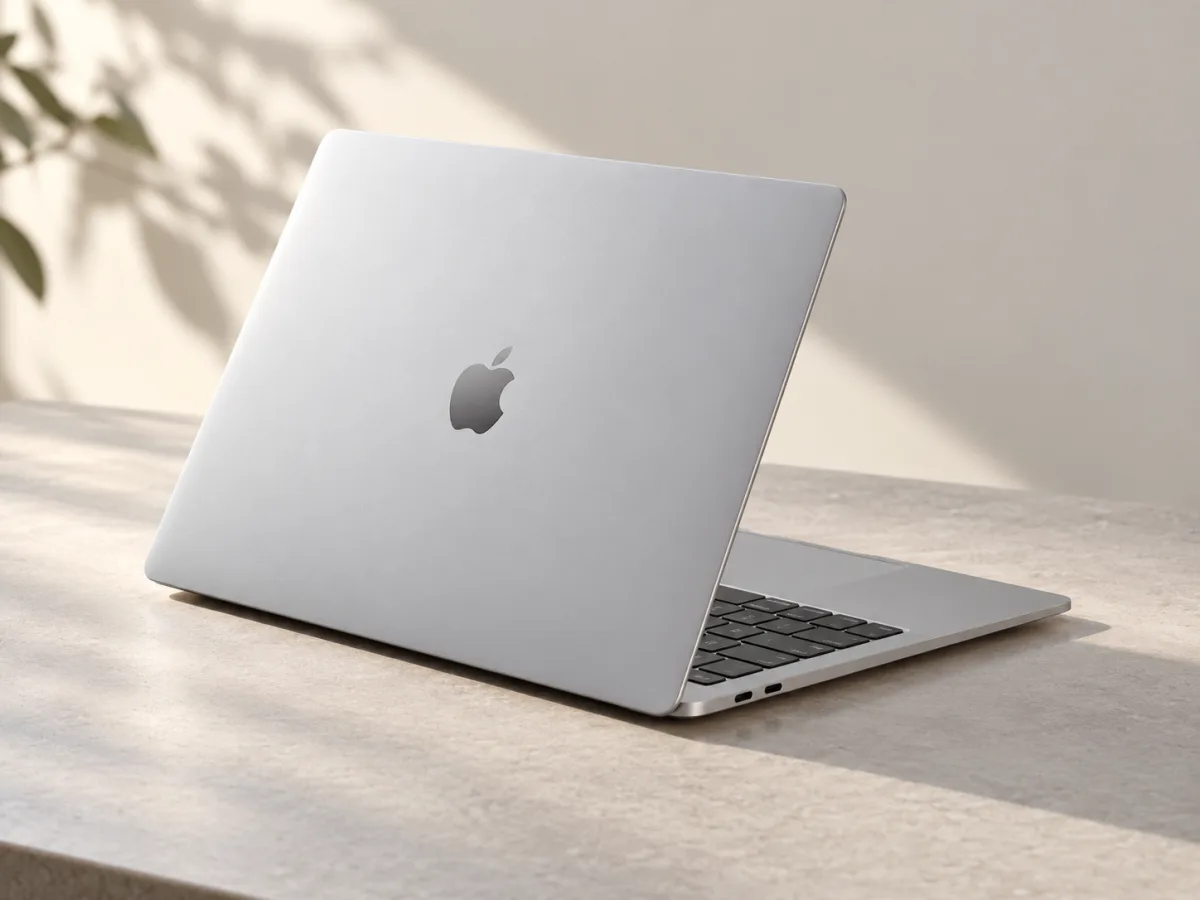
- Model
- 13-inch, M3, 2024
- Display
- 13.6-inch / 500 nits
- Weight
- 1.24 kg
- Storage options
- 256 GB to 2 TB
Start with the software you cannot replace
Before comparing chips, make a short list of your essential apps, browser extensions and accessories. Include the unglamorous ones: your employer's login tool, a course application, a printer utility or a specialist spreadsheet add-in. Check that each works on the version of macOS you intend to use. A machine that misses one essential task can be an inconvenient purchase even when its specifications look attractive.
Then describe a normal busy afternoon. How many documents, tabs and apps do you keep open together? Do you edit short clips occasionally or work through long media projects every day? This exercise gives memory, storage and connectivity a job to solve. It also stops a processor comparison from becoming a substitute for understanding your own workload.
Read the configuration line by line
The 2024 13-inch model uses an M3 chip with an eight-core CPU and an eight- or ten-core GPU. Apple's specification page lists multiple memory configurations and storage from 256 GB through 2 TB. Do not assume every M3 Air listing contains the same memory. Ask for the exact configuration, especially when buying from a reseller or considering a previously owned machine.
Our suggestion is to measure your current storage use before choosing a capacity. Separate files you need every day from projects you can archive elsewhere. Allow space for the work you expect to add, rather than filling a new computer immediately. For memory, compare your actual software requirements and the cost of the complete configuration. A small saving is less helpful if it creates a persistent compromise in your daily routine.
Picture it in your bag and at your desk
Apple lists a 1.24-kilogram weight and a 13.6-inch display rated at 500 nits. Connections include MagSafe 3, a headphone jack and two Thunderbolt / USB 4 ports. The M3 model supports one external display up to 6K at 60 Hz alongside its internal display; using a second external display, up to 5K at 60 Hz, requires closing the lid.
Make a cable sketch before ordering accessories. Write down your monitor, keyboard, storage and charging needs, then check what remains plugged in while you work. If your plan includes two screens, verify the complete arrangement against Apple's support information and your dock's compatibility list. Include the adapter and charger in your travel comparison. The laptop's weight alone does not describe what you will actually carry.
Treat an older model as an individual purchase
An older generation should be judged on the particular offer in front of you. Compare its condition, configuration, warranty and return terms with the alternatives available locally. If it is used, request clear information about battery condition, included accessories and any repair history. Avoid treating a model name as proof that two listings are equivalent.
For battery planning, Apple's maximum figures are 15 hours of wireless web use and 18 hours of video playback under its test conditions. Build your own charging plan around the apps and screen settings you use. Our conclusion is to choose the M3 Air only after the practical checks fit: required software, enough capacity, a workable desk connection and a complete purchase cost you are comfortable with.
- Verify the exact memory and storage configuration.
- Confirm your external-display arrangement.
- Compare condition and support alongside the price.
Choose the whole setup, not just the processor.
Consider the M3 Air when portability and your required macOS apps are the priority. Check the exact memory configuration, storage and external-display plan before comparing prices. For a used or older-stock machine, condition and seller support deserve as much attention as the M3 name.
Worth considering for
- People who carry a laptop between workspaces
- Writers, students and browser-based workers using compatible apps
- Buyers planning their memory and storage needs in advance
Before you decide
- Two external displays require the lid to be closed
- Check the exact memory, storage and charger configuration
Sources & notes
Official information consulted for this story. Specifications refer to the named model and generation; check the exact version offered by your retailer.
- Apple — MacBook Air (13-inch, M3, 2024) technical specifications
- Apple — Introducing the 13- and 15-inch MacBook Air with M3
Published October 24, 2026. No affiliate links appear in this story.