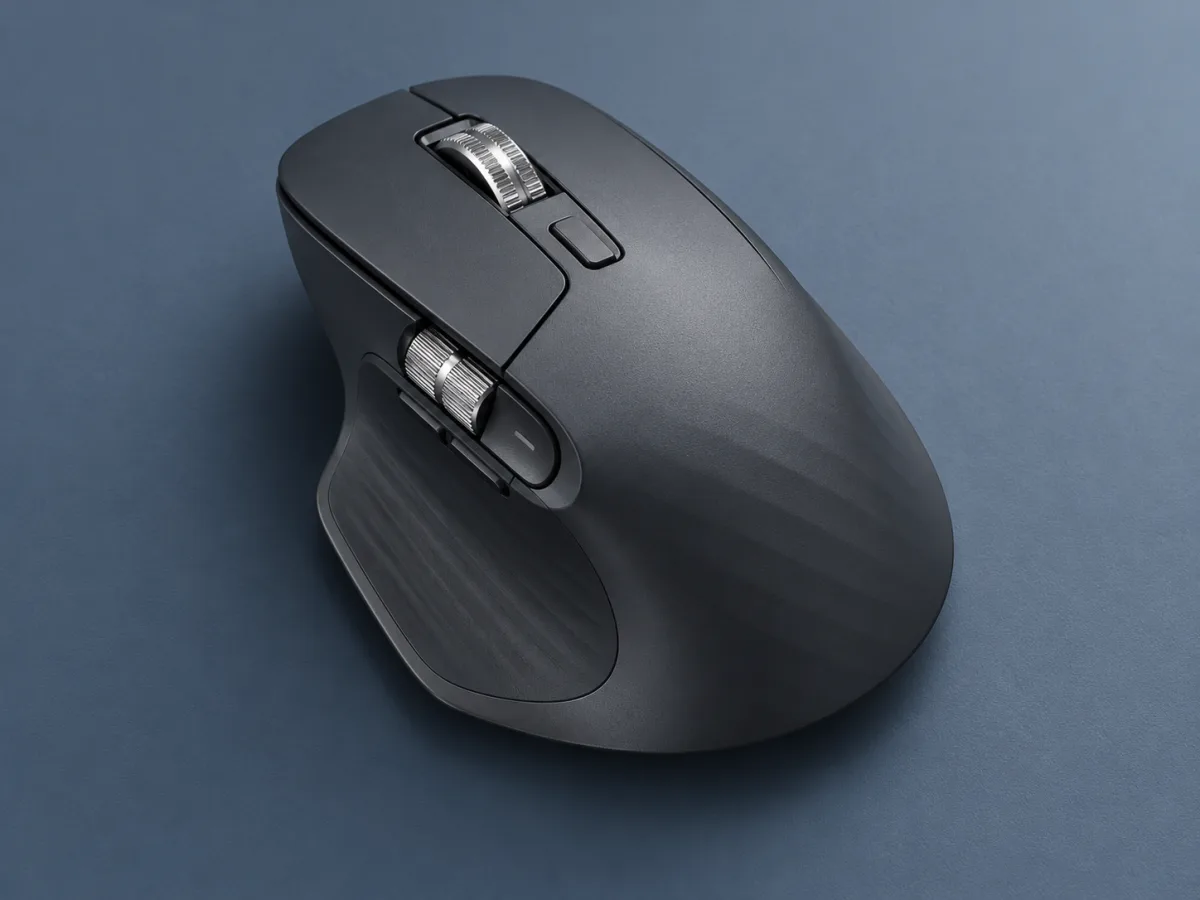
- Tracking
- Up to 8,000 DPI
- Scrolling
- MagSpeed wheel / thumb wheel
- Charging
- USB-C rechargeable
- Rated battery
- Up to 70 days
Start with what your hand does all day
For one afternoon, notice the small actions you repeat. You might scroll through long documents, move across a wide spreadsheet or switch between a design canvas and its tools. Write down the two actions that interrupt your flow most often. Those are practical reasons to investigate a different mouse, and they give every extra button a possible purpose.
Logitech lists an 8,000 DPI sensor, a MagSpeed scroll wheel and a thumb wheel for the MX Master 3S. The sensor figure describes an available sensitivity range. It does not tell you what setting will feel controllable on your screen. Our recommendation is to focus first on predictable movement and reachable controls, then adjust sensitivity to suit the work.
Check the shape before the shortcut list
When trying a mouse, use your normal desk height and chair position. Place your hand on it without trying to imitate a product photograph. Can you reach the main buttons and thumb controls without changing your grip? Is there enough clear space beside the keyboard? These observations are more personal and more useful than deciding from a top-down photograph.
Try a few ordinary actions: select a sentence, drag a window and move across a spreadsheet. If possible, repeat them with a mouse you already know. Treat comfort as something to check over time, rather than a benefit guaranteed by a sculpted shape. If you often move between desks, add packing and carrying to the comparison. A device can suit a fixed workspace while making less sense in a small travel pouch.
Give two controls useful jobs first
Logi Options+ is Logitech's configuration software for supported Windows and macOS systems. Check its compatibility with your computer and whether your work device allows software installation. If your organisation manages accessories centrally, ask about its requirements before choosing an edition. A feature that depends on software needs a place in your actual setup, not just on a product checklist.
Start with two assignments you can remember, such as a familiar navigation command and a tool you use repeatedly. Keep a note of what you changed. After several working days, decide whether the assignments helped before adding more. This is an editorial setup suggestion, not a measured productivity claim. Useful customisation should make a routine easier to repeat without asking you to memorise a second keyboard.
Read the exact edition and package
MX Master 3S appears in different editions, so verify connection options and included accessories on the seller's exact listing. A Bluetooth Edition listing and a Business package should not be assumed to contain the same receiver. Logitech's Business datasheet quotes USB-C charging and up to 70 days on a full charge; that is a manufacturer rating with usage conditions, not a result from this site.
Before buying, match the package to each computer you intend to use. Keep a charging cable somewhere convenient and check the software requirements for any feature you consider essential. Our conclusion is to buy for the shape and the actions you will repeat. The most persuasive upgrade is one you can describe clearly: this control helps with this task, and the device fits the way I work.
- Try the shape and reach every control comfortably.
- Verify the exact edition and included connection hardware.
- Choose two useful shortcuts before adding more.
Choose a mouse around repeated actions.
Investigate the MX Master 3S if its shape suits your hand and its extra controls have clear jobs in your apps. Budget time for a small, deliberate setup. For travel or a cramped desk, compare size and carrying convenience before assuming that more controls make a better choice.
Worth considering for
- Desk workers who navigate long documents
- People who want to assign useful app shortcuts
- Buyers who can try the shape and control placement
Before you decide
- Fit, button reach and desk space need a personal check
- Connection options and included receiver vary by edition
Sources & notes
Official information consulted for this story. Specifications refer to the named model and generation; check the exact version offered by your retailer.
Published October 24, 2026. No affiliate links appear in this story.